
A Python Application to Track Your Job Hunt Progress
AI is not ready to replace us but keep your head on a swivel.

My job search has been chaotic to say the least. Keeping track of applications, responses, due-outs, and rejections is not easy when one is dealing with 100s of applications and companies.
To keep my mind busy between filling out job applications. I’ve used Visual Studio Code and Copilot to put together a little dashboard to help me track do-outs and where I stand with applications. Yes, it’s probably overkill when a spreadsheet would do just fine, with manual daily gardening. Now, I use the Google Cloud API to read my Gmail box and download the messages to my computer for parsing, ML model training, and storage in a database for analysis.
Limitations of the Standalone Copilot Agent
Initially, I simply used the standalone Co-pilot chat agent to help me along the way. But it became super burdensome when I had to “remind” it what my code was doing and looked like. I had to package and upload my entire codebase to allow Co-pilot to catch up. Yet, the agent would still wander off topic.
Copilot Integration with Visual Studio Code
I learned that the standalone Chat Agent is not the way to write code and switched over to the Github Copilot that is integrated with Visual Studio Code. The difference was night and day. This was a huge help and has saved me from pulling out my hair.
I’ve learned a lot about the capabilities of Copilot(s). This has been an iterative process where I’m involved in the coding and minutiae of software development. Co-pilot could not have performed this type of work all by itself, but it has saved me 100s of hours of coding.
The Fine Touch of a Human in the Loop
I did have to perform a lot of prompt engineering to establish my coding standards, CI/CD pipeline, setting up tools like ‘pylint’, refactoring, complexity auditing, and debugging. I rely heavily on Machine Learning to help me understand which messages are useful and how they should be labeled. Message parsing alone does not work.
I did not let Copilot generate code without my SME oversight. The code is readable, understandable and modular.
User Data Stays with You
All user-data remains on the user’s machine and is in no way shared. I’ve learned a lot and am already thinking of how I can use this knowledge to help me develop a cybersecurity-related tool.
Sample Images of the Dashboard
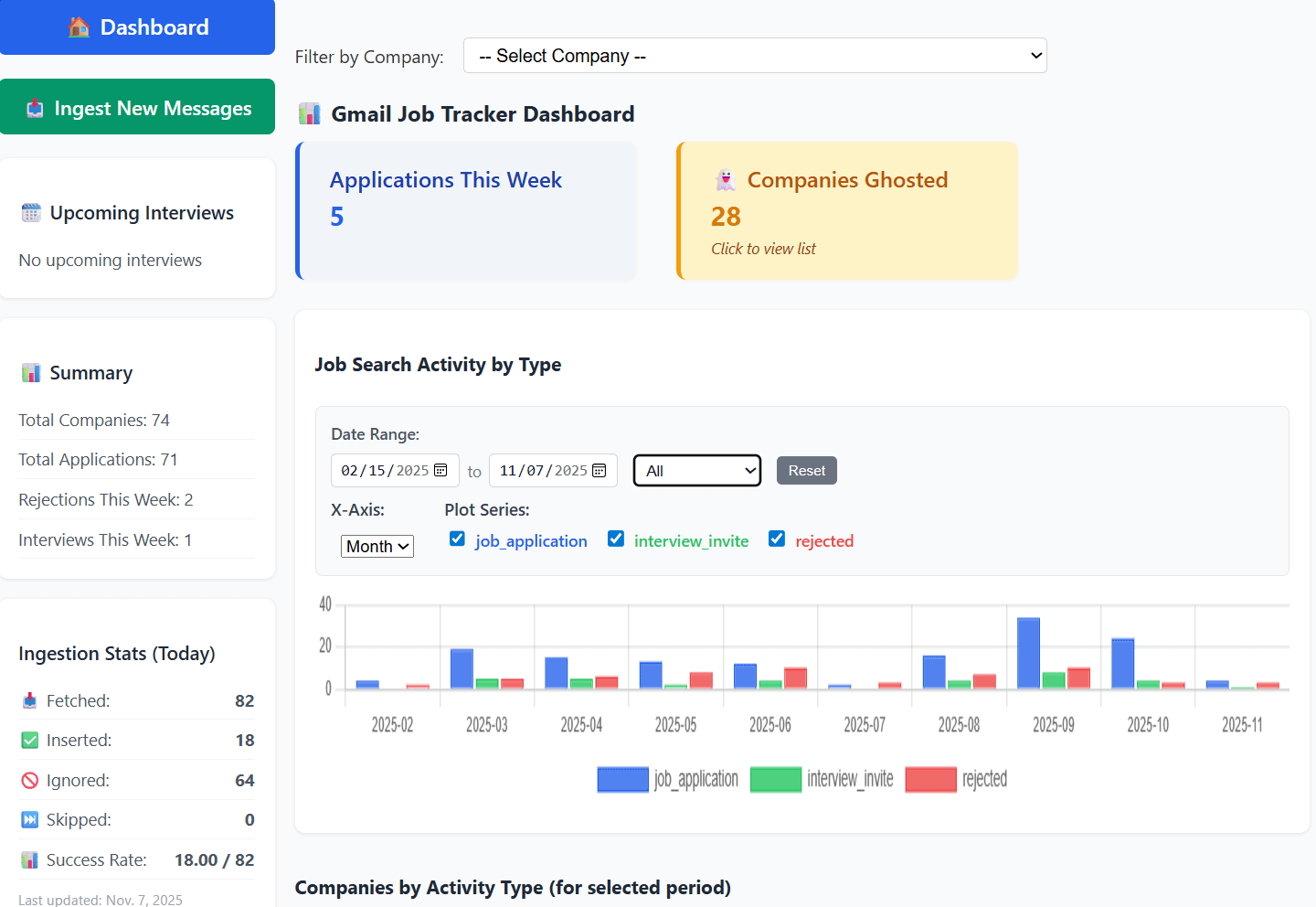
First Stab at a Dashboard
Anyhow, here is the dashboard that I see on startup. There is a lot more behind this such as manual message labelling and model re-training. This allows the models to stay up to date.
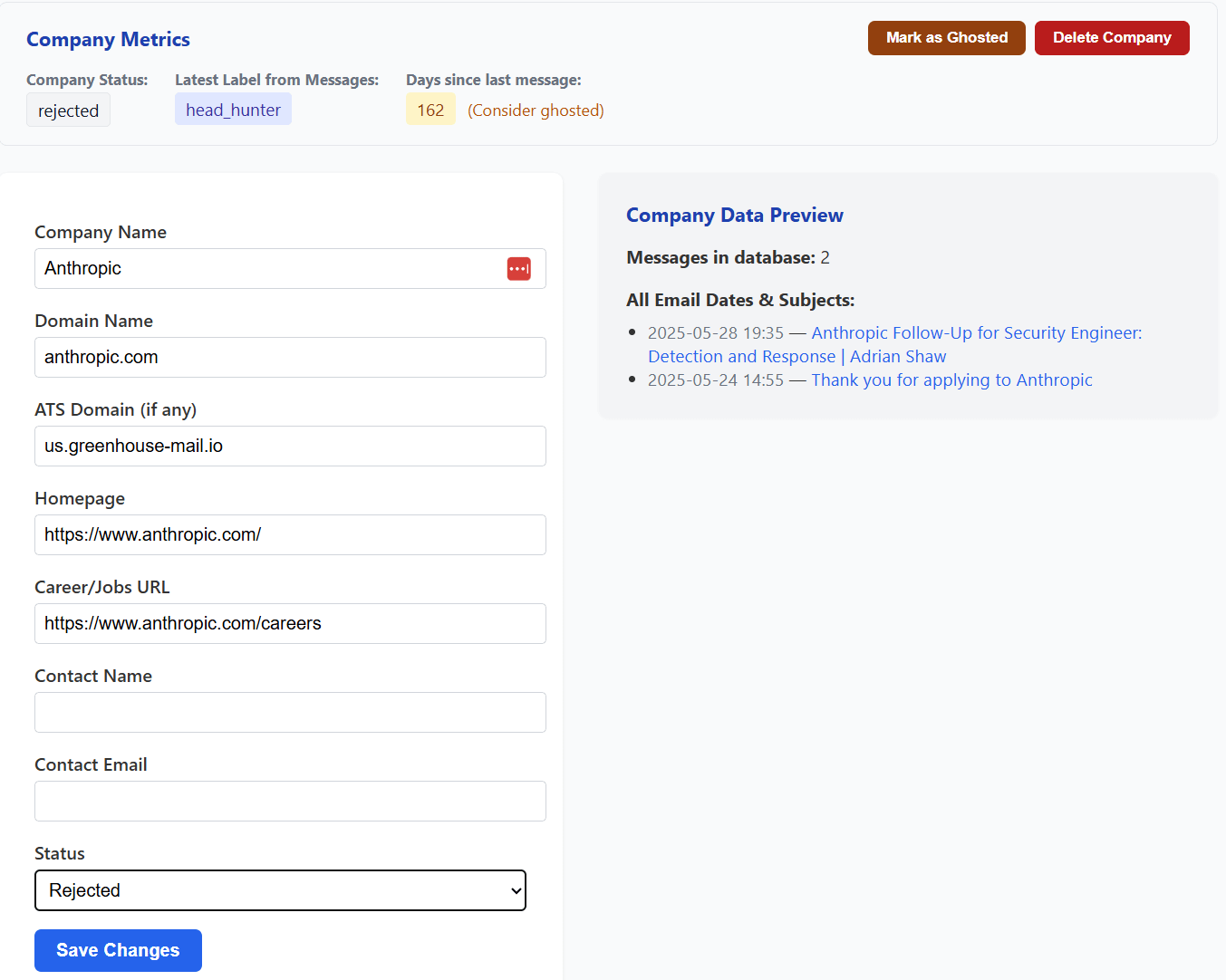
A Portion of the Company Insight Page
Here is portion of my company message tracker and updater. I’m not calling out Anthropic, they obviously have people way smarter than me. It was worth a try though.
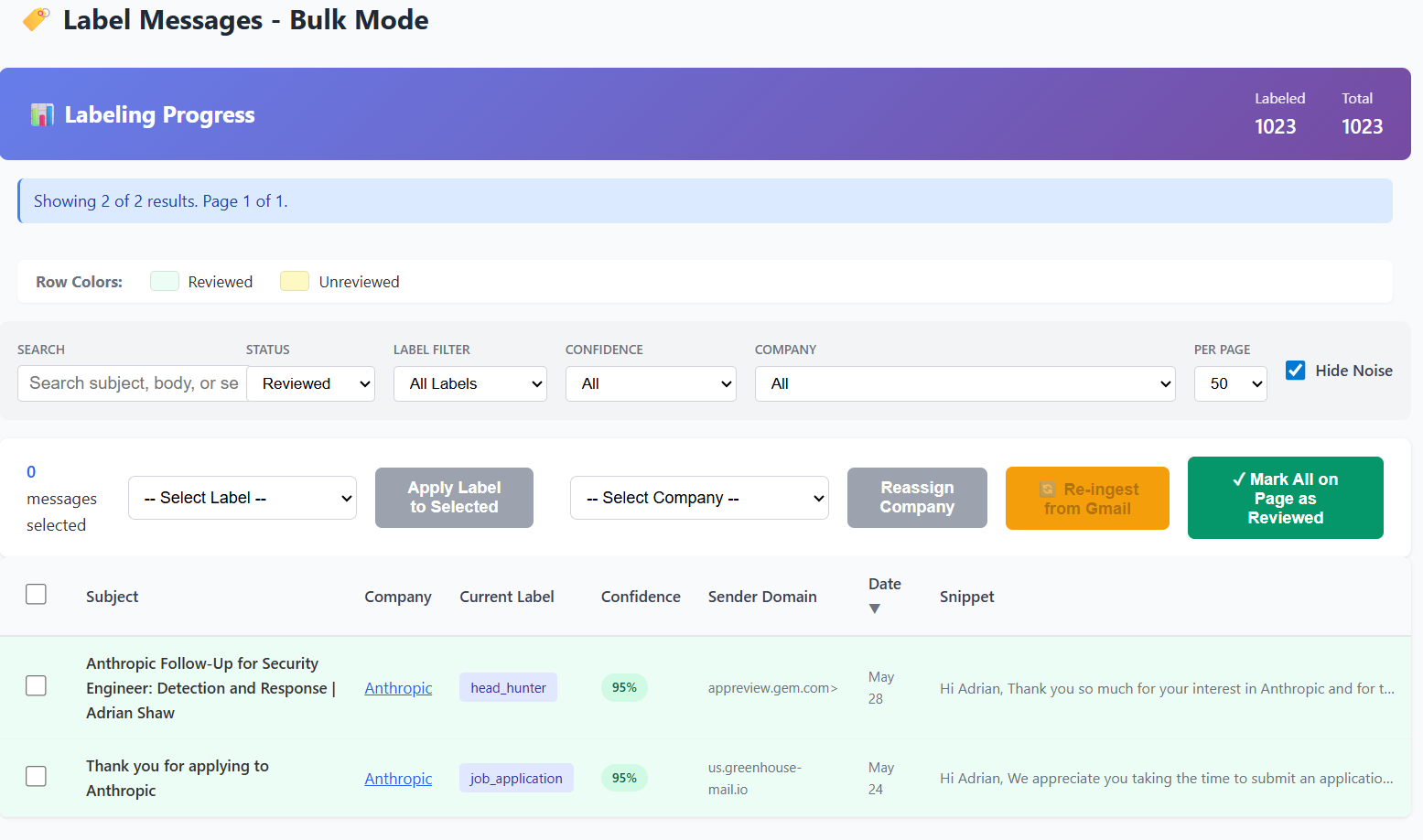
Ensuring Messages are Properly Labelled
This page allows me to tweak the labeling of messages and re-train my ML model. As shown below, the first message dated May 28th was incorrectly labeled as “head hunter” when it should read “rejected”. I’ll take this information and re-run it through my parsing engine to find out why it was mis-labeled. I can also correct it from this page and have the model update automatically.
Future Plans for the Code
I’ve posted all of my code to my Github repository and will release it to the other interested people who need this type of tracking tool and who use Gmail for all of their job search correspondence. The goal is to create a Docker version for one to self-host on their computer or home server.
I’m still testing, debugging, and adding new features. And I still have to clean it up and make it user-friendly for installation. So, it wouldn’t make sense to turn it loose yet to the wild west. I definitely could use the help of others should anyone find this useful. Please reach out.
#jobhunt #keepmindactive #staybusy